

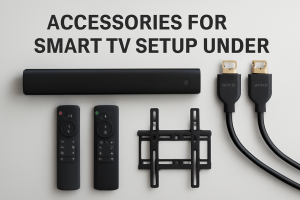
 Congratulations on your new smart TV! You’re all set to enjoy stunning 4K visuals and endless content. But wait, is that it? While modern TVs have incredible screens, manufacturers often cut corners on other aspects of the experience to keep prices competitive. The sound might feel flat, the remote can be a pain for typing, and the “smart” interface might not be as snappy as you’d like.
The good news is you don’t need to spend a fortune to fix these issues. You can truly supercharge your home entertainment setup with a few strategic accessories. Here are five game-changing additions, each costing under ₹5,000, that will take your TV experience from good to absolutely glorious.
1. The Game-Changer: A Budget Soundbar
The Problem: Your TV is ultra-slim, which means its built-in speakers are tiny and often face downwards or backwards. This results in weak, tinny audio where dialogues get lost and explosions have no punch.
The Solution: A soundbar is the single most impactful upgrade you can make. It provides forward-facing speakers and, in many cases, a dedicated subwoofer for deep bass, instantly making movies more immersive and dialogues crystal clear.
- What to Look For:
- Channels: Look for at least a
2.1channel system (two speakers and one subwoofer). - Connectivity:
HDMI ARCis the best option, as it lets you control the soundbar’s volume with your TV remote. Bluetooth is great for streaming music from your phone. - Power: For a medium-sized room, anything from 60W to 120W is plenty.
- Channels: Look for at least a
- Top Brands in this range: Zebronics, Boat, Mivi, GOVO.
Find Top-Rated Soundbars Under ₹5,000 on Amazon.in
2. The Speed Boost: A 4K Streaming Stick
The Problem: The built-in operating system on some budget or mid-range smart TVs can be slow, clunky, and may not support all the apps you want. They also stop receiving updates after a year or two.
The Solution: A dedicated streaming stick like an Amazon Fire TV Stick 4K or a Google Chromecast with Google TV bypasses your TV’s native OS entirely. They have faster processors, get regular updates, offer a much smoother user interface, and have a more comprehensive app library.
- Which to Choose?
- Amazon Fire TV Stick 4K: Perfect if you’re in the Amazon ecosystem (Prime Video, Alexa). The remote is user-friendly.
- Chromecast with Google TV: Ideal for Android users. The Google TV interface is excellent at aggregating content from all your subscriptions into one place.
- The performance boost over a sluggish built-in TV system is night and day.
Check Out 4K Streaming Sticks on Amazon.in
3. The Ambiance Creator: USB LED Backlights (Bias Lighting)
The Problem: Watching a bright TV in a completely dark room can cause significant eye strain. It also makes the blacks on your screen appear grayer due to the harsh contrast.
The Solution: Bias lighting is a strip of LEDs that you stick to the back of your TV. It casts a soft, neutral glow on the wall behind it. This simple trick dramatically reduces eye strain during long viewing sessions and improves the perceived contrast of your TV’s picture, making the image pop. It also looks incredibly cool and premium.
- What to Look For: Most of these strips are powered by your TV’s own USB port, so no extra wall sockets are needed. Many come with a remote to change colours and brightness.
- Cost: This is the most affordable upgrade on the list, often costing less than ₹1,000!
Shop for TV LED Backlights on Amazon.in
4. The Convenience King: An Air Mouse or Mini Keyboard Remote
The Problem: Ever tried typing a long, complicated Wi-Fi or Netflix password using a standard TV remote’s directional pad? It’s a frustrating experience.
The Solution: A universal remote with a full QWERTY keyboard on the back or one with “air mouse” functionality (letting you point and click like a Nintendo Wii remote) makes navigating your smart TV a breeze. Searching on YouTube, logging into apps, and Browse the web becomes ten times faster.
- What to Look For: Check for compatibility with your TV’s OS (most work with Android/Google TV). A backlit keyboard is a huge plus for movie nights.
- These are plug-and-play via a small USB dongle.
Find Air Mouse & Mini Keyboard Remotes on Amazon.in
5. The Unsung Hero: A High-Speed HDMI 2.1 Cable
The Problem: The cheap HDMI cable that came in the box (if you even got one) might not be capable of handling the latest high-resolution, high-refresh-rate signals from your new gaming console (PS5/Xbox Series X) or 4K Blu-ray player.
The Solution: Investing in a certified HDMI 2.1 cable ensures you’re getting the absolute best picture and sound quality your devices can output. It’s essential for features like 4K at 120Hz, Variable Refresh Rate (VRR), and eARC (for passing high-quality Dolby Atmos audio to your soundbar).
- Why it’s a must-have: Even if you don’t have a console now, this future-proofs your setup for a very small cost. It’s a simple, cheap way to guarantee you’re not leaving performance on the table.
Buy Certified HDMI 2.1 Cables on Amazon.in
Final Tip: Protect Your Investment
While not a “supercharging” accessory, consider plugging your new TV and all its accessories into a good quality surge protector. Power fluctuations can damage sensitive electronics, and a surge protector is a cheap insurance policy for your expensive new gear.
By spending a little extra on these key accessories, you can transform your stock Smart TV into a truly premium and personalized home theatre powerhouse.
Happy Viewing!


